Free FBX Online Viewer

Open FBX models for a local browser preview. If local conversion fails or the export is unavailable in the browser, conversion automatically switches to the server with a private upload; sign-in is required.

Browser first, server when needed

Local file previews stay in your browser without sign-in. Supported formats are converted in your browser first, including large models. Conversion automatically switches to the server with a private upload if local conversion fails, or for FBX and USDZ with skins or animation. Server conversion requires sign-in.

FBX file viewer online showing a 3D model with geometry and texture preview

View FBX Files Online on Any Device — Desktop, Tablet & Mobile

Local previews and browser conversions keep file processing on your device. If local conversion fails or requires the server, the model is automatically uploaded to private storage; temporary uploads and results are cleaned up after 24 hours.

3D FBX viewer online on desktop and mobile devices

How to View FBX Files Online?

Local file previews stay in your browser without sign-in. Supported formats are converted in your browser first, including large models. Conversion automatically switches to the server with a private upload if local conversion fails, or for FBX and USDZ with skins or animation. Server conversion requires sign-in.

1

Upload Your FBX File

Drag and drop your .fbx file into the FBX online viewer, or click to browse your files. The AI 3D Model FBX file viewer online supports files up to 200 MiB — large enough for detailed game characters, complex architectural scenes, and production-quality 3D assets.

2

View FBX Model in Real-Time 3D

Local file previews stay in your browser without sign-in. Supported formats are converted in your browser first, including large models. Conversion automatically switches to the server with a private upload if local conversion fails, or for FBX and USDZ with skins or animation. Server conversion requires sign-in.

3

Inspect & Continue Your Workflow

Check your FBX model's geometry, scale, textures, and mesh integrity before importing to Unity, Unreal Engine, or Blender. Need a different format? Convert your FBX to GLB, GLTF, OBJ, or STL with AI 3D Model's 3D File Converter.

Why Use AI 3D Model's Free FBX Online Viewer?

Open FBX models for a local browser preview. Local file previews stay in your browser without sign-in. Supported formats are converted in your browser first, including large models. Conversion automatically switches to the server with a private upload if local conversion fails, or for FBX and USDZ with skins or animation. Server conversion requires sign-in.

200 MiB FBX File Support

Upload and view FBX files up to 200 MiB — significantly more than most free FBX viewers. Handle production-quality game assets, detailed character models, complex architectural scenes, and VFX exports without compression.

Browser first, server when needed

Local file previews stay in your browser without sign-in. Supported formats are converted in your browser first, including large models. Conversion automatically switches to the server with a private upload if local conversion fails, or for FBX and USDZ with skins or animation. Server conversion requires sign-in.

Automatic private server fallback

Local previews and browser conversions keep file processing on your device. If local conversion fails or requires the server, the model is automatically uploaded to private storage; temporary uploads and results are cleaned up after 24 hours.

Multi-Format 3D Viewer Ecosystem

Beyond the FBX viewer, the AI 3D Model platform supports OBJ, STL, GLB, GLTF, STEP, STP, PLY, and 3MF. Use the AI 3D Model 3D File Converter to switch between formats — preview, convert, and deploy from one platform.

Use Cases
Who needs an FBX viewer?

Who Uses AI 3D Model's Free FBX File Viewer Online?

From quick asset checks to full production reviews — the AI 3D Model 3D FBX viewer helps game developers, animators, and 3D artists inspect FBX models without installing Maya or 3ds Max.

  • Game Developers

    Preview FBX game assets exported from Maya, 3ds Max, or Blender before importing to Unity or Unreal Engine. Inspect mesh quality, polygon count, and texture mapping with AI 3D Model's FBX viewer — no need to launch a full game engine for a quick QA check.

  • 3D Animators & Character Artists

    Open FBX character models to verify geometry, rigging structure, and texture quality before handoff. AI 3D Model's FBX viewer lets you quickly inspect .fbx files from your animation pipeline without switching to Maya or 3ds Max.

  • Architectural Visualization Teams

    View FBX files exported from 3ds Max, SketchUp, or Rhino to check architectural models, interior scenes, and landscape assets. Inspect geometry accuracy and material quality before rendering or importing into a visualization engine.

  • VFX & Film Production

    Inspect FBX assets from your VFX pipeline — props, environments, and digital doubles. Quick-check mesh quality and texture integrity without opening a heavy DCC application. Share FBX files with team members who can view them instantly in their browser.

  • 3D Asset Marketplace Sellers

    Preview your FBX models before uploading to TurboSquid, Sketchfab, CGTrader, or the Unity Asset Store. Verify that geometry, textures, and materials render correctly — ensure your listing looks professional from every angle.

  • AR/VR Developers

    Validate FBX source meshes before converting to GLTF or GLB for AR/VR deployment. Check scale, orientation, and polygon density with AI 3D Model's FBX viewer to ensure real-time performance in immersive experiences.

User Reviews

Trusted by 3D Professionals — the AI 3D Model FBX Viewer

Game developers, animators, and VFX artists rely on AI 3D Model's free FBX online viewer for quick 3D model inspection without needing Maya or 3ds Max.

3 verified reviews
  • “Since Autodesk discontinued FBX Review, I needed a fast way to inspect .fbx files without opening Maya. This FBX viewer is the perfect replacement — loads instantly in the browser and handles complex game assets that other free tools can't touch.”

    Marcus Chen

    Senior 3D Artist

    Verified user
  • “We use this FBX viewer for asset QA in our Unity pipeline. Our artists export FBX from Maya, and the team can preview everything in the browser without installing any software. The drag-and-drop workflow saves us hours every week.”

    Jordan Yip

    Lead Game Developer

    Verified user
  • “As an arch-viz freelancer, I receive FBX files from clients constantly. Being able to open them instantly in the browser — check geometry, textures, scale — without launching 3ds Max is a game changer. The 200MB support is crucial for detailed architectural scenes.”

    Elena Rodriguez

    Architectural Visualization Artist

    Verified user

FBX Online Viewer — Frequently Asked Questions

Everything you need to know about opening and viewing FBX files online for free.

Explore More AI 3D Tools

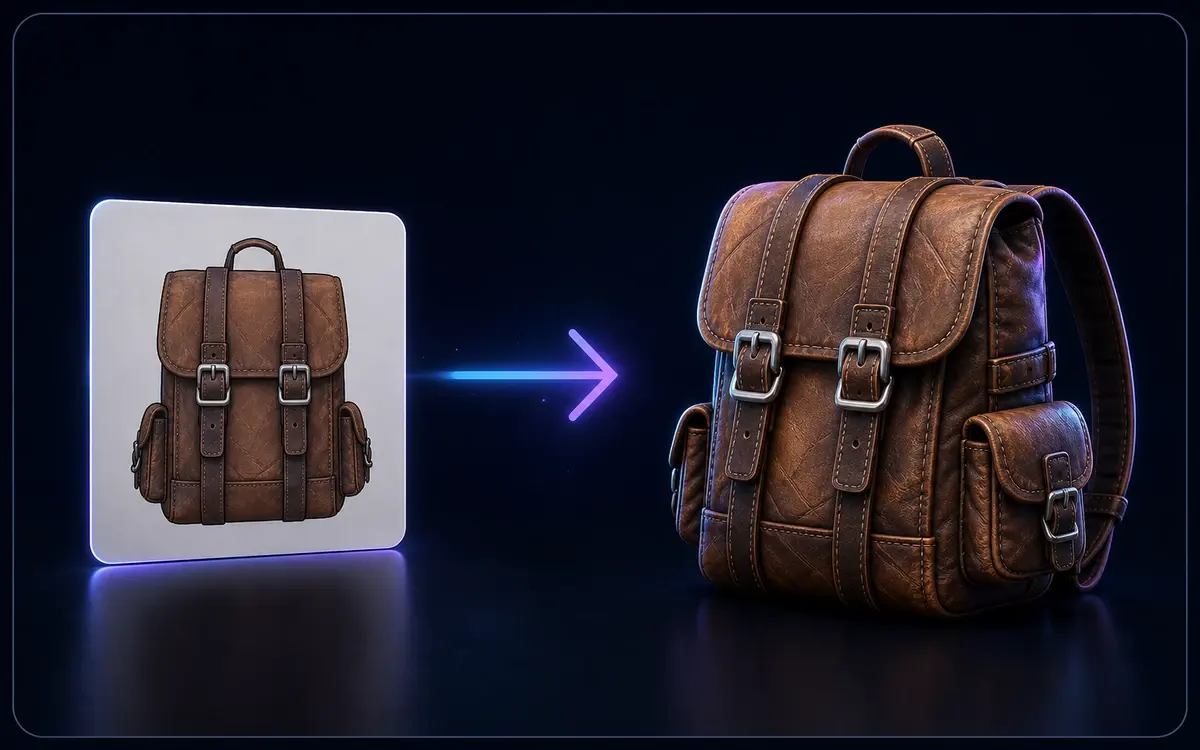
Flat image converting into a textured 3D backpack model

Image to 3D

Open 3D models for a local browser preview. Local file previews stay in your browser without sign-in. Supported formats are converted in your browser first, including large models. Conversion automatically switches to the server with a private upload if local conversion fails, or for FBX and USDZ with skins or animation. Server conversion requires sign-in.

Text prompt generating a stylized 3D mug model

Text to 3D

Describe it, generate it — create 3D models straight from text prompts.

View FBX Files Online — Free, Fast & Private

Open FBX models for a local browser preview. Conversion has no additional fee. Local file conversion does not require sign-in; server conversion does. Generation usage and existing download entitlements for generated assets still apply.

Trusted by game developers, 3D animators, VFX artists, and architectural visualization teams worldwide.

Private upload when needed
Up to 200 MiB
Browser first
🎮 Autodesk FBX